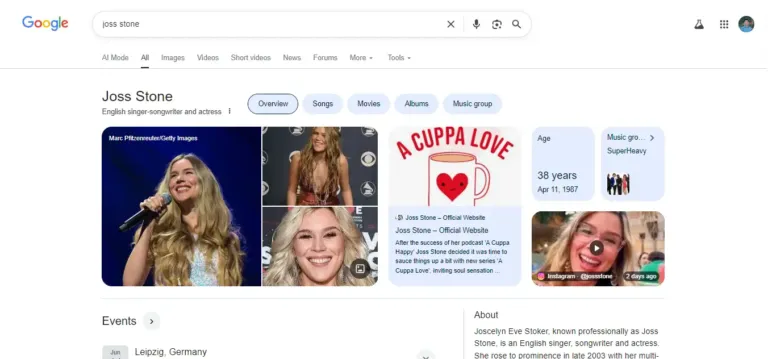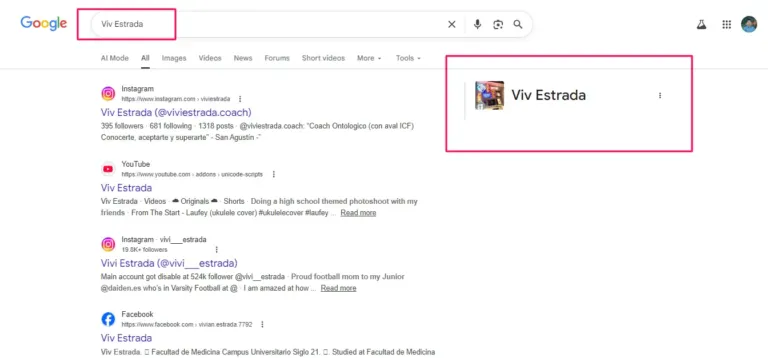
Since I started working in SEO in 2019, I’ve seen countless beautiful websites that are virtually invisible to the Google Knowledge Graph. Why? Because while they look great to humans, they are “silent” to robots.
If you want a Google Knowledge Panel, you have to stop hoping Google “finds” your info and start delivering it. The tool we use for this delivery is Schema Markup, specifically in the JSON-LD format.

I’m Anup Sarker, and in this technical deep dive, I’m going to show you how to code your way into the Knowledge Graph. We will explore the specific types of Schema you need, the properties that matter most, and how to implement them on your “Entity Home” to ensure Google never has to guess who you are again.
1. What Exactly is Schema Markup?
At its simplest level, Schema Markup (found at Schema.org) is a standardized vocabulary of tags that you add to your HTML. These tags tell search engines not just what your content says, but what it means.
- Standard HTML:
<h1>Anup Sarker</h1>tells Google that this text is a big heading. - Schema Markup:
"name": "Anup Sarker"tells Google that this text is the name of a specific Person entity.
For Knowledge Panels, we are using a specific subset of Schema called Structured Data. It allows us to define the “Nodes” (Entities) and “Edges” (Relationships) that make up your digital footprint.
2. Why JSON-LD is the Gold Standard
There are several ways to implement Schema (Microdata, RDFa, JSON-LD), but Google has been very clear: JSON-LD is the preferred format.
JSON-LD (JavaScript Object Notation for Linked Data) is a script that sits in the header or footer of your website. It is clean, it doesn’t mess with your visual design, and it is incredibly easy for Google’s “Knowledge Bot” to parse. When I build out a strategy for anupsarker.com or a client’s site, I always stick to JSON-LD because it provides the most “semantic clarity.”
3. The Essential Schema Types for Knowledge Panels
Depending on whether you are building a panel for a person or a company, you will use different “Types.”
A. The Person Schema
If you are an author, CEO, or public figure, this is your bread and butter. The goal is to provide a complete “Identity Map.”
Key properties to include:
name: Your full, legal professional name.jobTitle: Your primary professional role (e.g., SEO Specialist).alumniOf: The universities or institutions where you studied.worksFor: The organization you currently lead or work for.description: A short, factual biography (keep it consistent with your social bios).image: A link to your high-resolution, square-formatted headshot.
B. The Organization Schema
If you are building authority for a brand or business, you use this type.
Key properties to include:
legalName: The official registered name of the business.logo: A link to your official logo.foundingDate: When the company was started.founders: Links to thePersonschema of the individuals who started it.address: The physical headquarters (crucial for connecting to local maps).
4. The sameAs Property: The “Most Important” Link
If you take nothing else away from this guide, remember this: The sameAs property is the heart of Entity SEO.
The sameAs property is an array of URLs that represent the same entity on other authoritative sites. This is how you tell Google: “The Anup Sarker on this website is the SAME Anup Sarker on LinkedIn, the SAME one on X, and the SAME one on Crunchbase.”
By grouping these URLs in your Schema, you are “merging” your fragmented digital footprints into a single, high-confidence entity.
Example Logic:
JSON
"sameAs": [
  "https://www.linkedin.com/in/anupxs/",
  "https://twitter.com/anupxs",
  "https://www.crunchbase.com/person/anup-sarker-fb92",
  "https://github.com/anupxs"
]
When Google sees this list, its “Confidence Score” for your Knowledge Panel skyrockets because the data is no longer ambiguous.
5. Connecting the Dots: The knowsAbout and hasCredential Properties
In 2026, Google is placing a heavy emphasis on E-E-A-T (Experience, Expertise, Authoritativeness, and Trustworthiness). You can use advanced Schema properties to “prove” your expertise to the algorithm.
knowsAbout: You can list specific topics or entities that you are an expert in. For example, I would list “Search Engine Optimization” and “Google Knowledge Graph.”hasCredential: This is a newer property that allows you to link to digital certificates or professional licenses. This provides hard evidence of your qualifications.
The logic follows a simple trust formula:
$$Trust(Entity) = \frac{Verified\_Credentials + Authority\_Links}{Data\_Conflicts}$$

By using these properties, we are increasing the numerator of that equation.
6. How to Implement Schema (Without Breaking Your Site)
I predominantly work with WordPress and WooCommerce, and fortunately, there are excellent tools to help manage this, though they often require manual “tweaking.”
- Use a Dedicated Plugin: RankMath or Yoast SEO are great starting points for basic
Personschema. - Custom Code for Advanced Entities: For high-level Knowledge Panels, the basic plugin settings usually aren’t enough. I often write custom JSON-LD and inject it into the
<head>of the ‘About’ page. - The “Entity Home” Rule: You should not put your full
Personschema on every single page of your site. It belongs on your “Entity Home” typically your homepage or your specific ‘About’ page. This tells Google exactly where the “Source of Truth” lives.
7. Testing and Validation: Don’t Guess, Verify
Once you’ve added your code, you must test it. Google provides two essential tools for this:
- The Rich Results Test: This tells you if your code is “technically” correct and if it qualifies for specific Google features.
- The Schema Markup Validator: This is the more advanced tool (now hosted at Schema.org) that checks the “semantic” health of your code. It will tell you if your relationships (e.g., how the
Personrelates to theOrganization) make sense.
If these tools show errors, your Knowledge Panel will likely never trigger. Zero errors is the goal.
8. Common Schema Mistakes to Avoid
Since 2019 I’ve seen these three mistakes kill more Knowledge Panels than anything else:
- Conflicting Data: Having one address in your Schema and a different one on your “Contact” page.
- Invisible Schema: Adding Schema to a page that is blocked by
robots.txtor anoindextag. If Google can’t see the code, it doesn’t exist. - Over-Optimization: Trying to list 50 different “skills” in your
knowsAboutsection. Google values depth over breadth. Stick to your top 3-5 core areas of expertise.
9. Conclusion: The Foundation of Your Digital Identity
Schema Markup isn’t just a “technical task” it is the foundation of how the world’s most powerful AI perceives you. When you implement correct, deep JSON-LD Schema, you are removing the barriers between your hard work and Google’s recognition.
It turns a “chance” of getting a Knowledge Panel into a strategic certainty.
Do You Need a Technical Architect for Your Schema?
Writing code that “talks” to the Knowledge Graph is a specialized skill. A small syntax error can lead to a “Data Break” that resets your progress with Google for months.
I’ve spent years perfecting the specific Schema “recipes” required to trigger panels for CEOs, authors, and e-commerce brands. If you’re ready to stop guessing and start implementing high-level Entity SEO, I’m here to build the technical tracks for your brand.